VTLF 2.250 Becker Vacuum Pump

Installation and Service Guide
Installation for CanCam C2-510 ATC CNC router machine
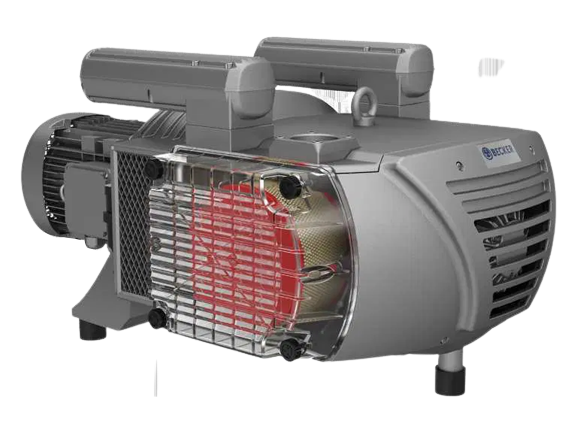
Tools Required:
Teflon tape
Phillips screwdriver
Flathead screwdriver
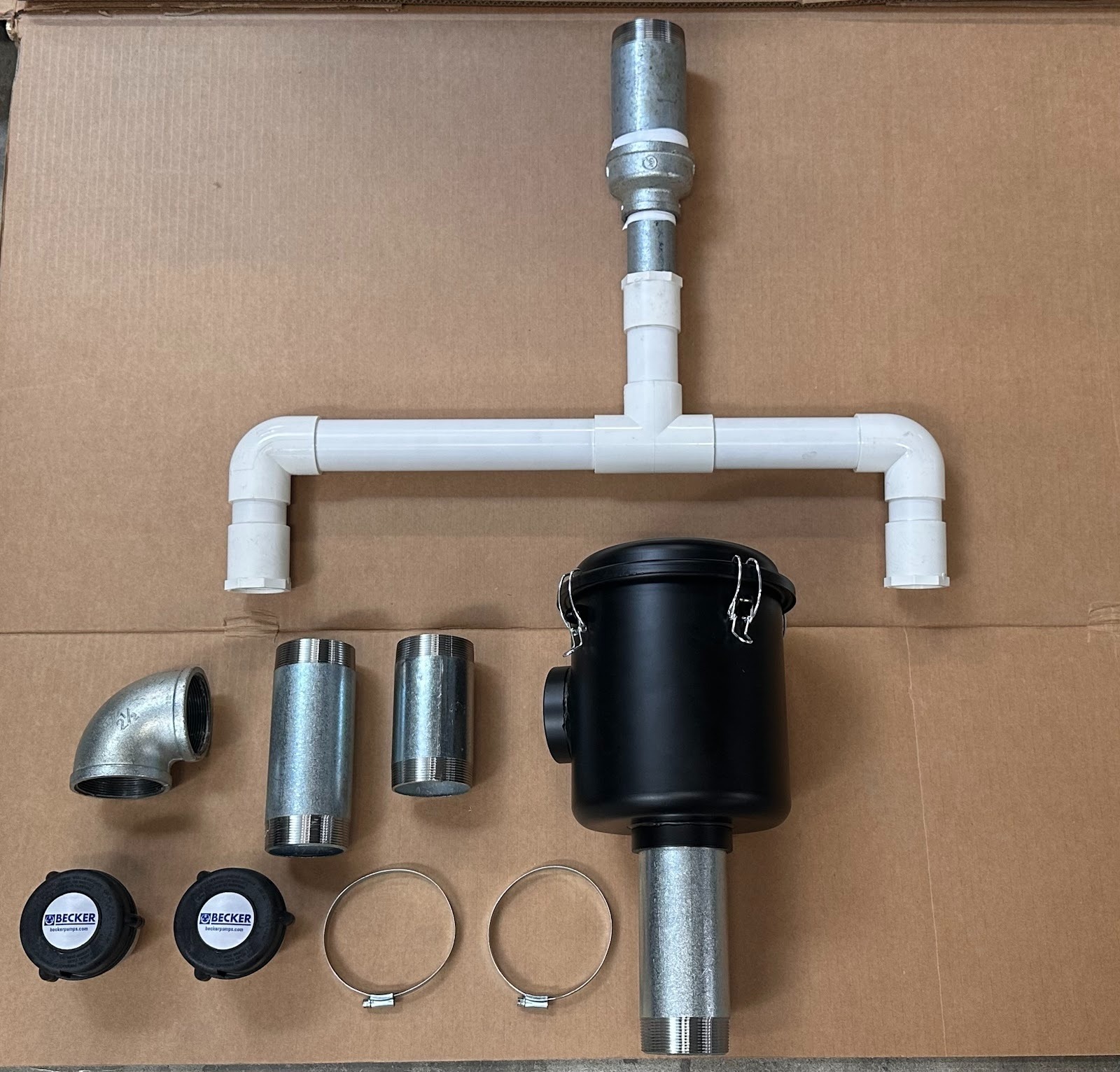
Components Required:
(2) Becker exhaust muffler
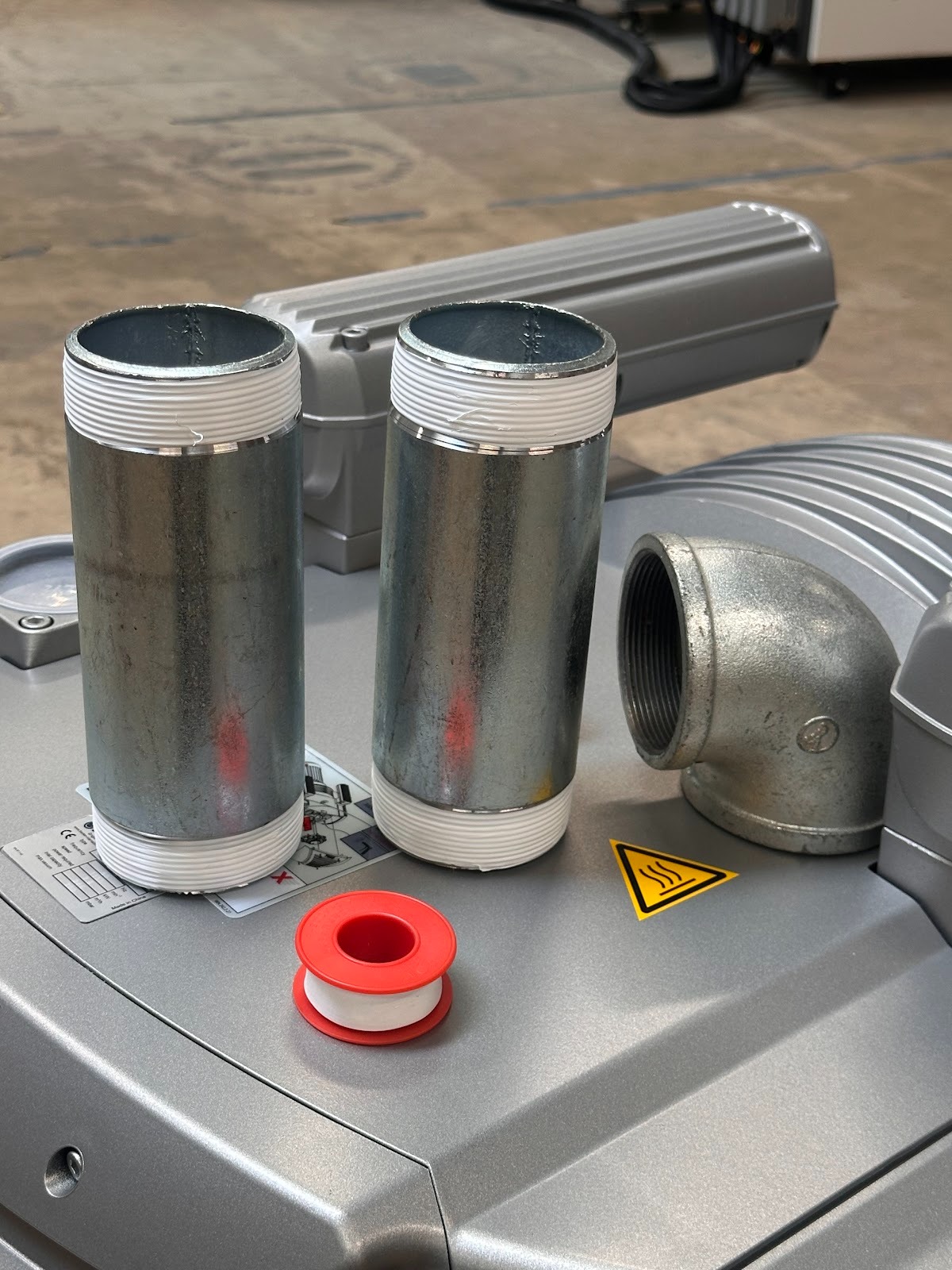
(3) 2-1/2 inch threaded pipes
(2) 4-inch hose clamps
(1) 90deg 2-1/2 inch pipe (OPTIONAL)
(1) 2-1/2 inch vacuum hose
(1) Becker dust filter
(1) Vacuum inlet fitting (provided with C2-510ATC CNC machine)
Mount the machine in a well‑ventilated environment
Place on a flat, rigid surface with clear airflow around the fan and shrouds
Install and level vibration feet so the unit does not rock
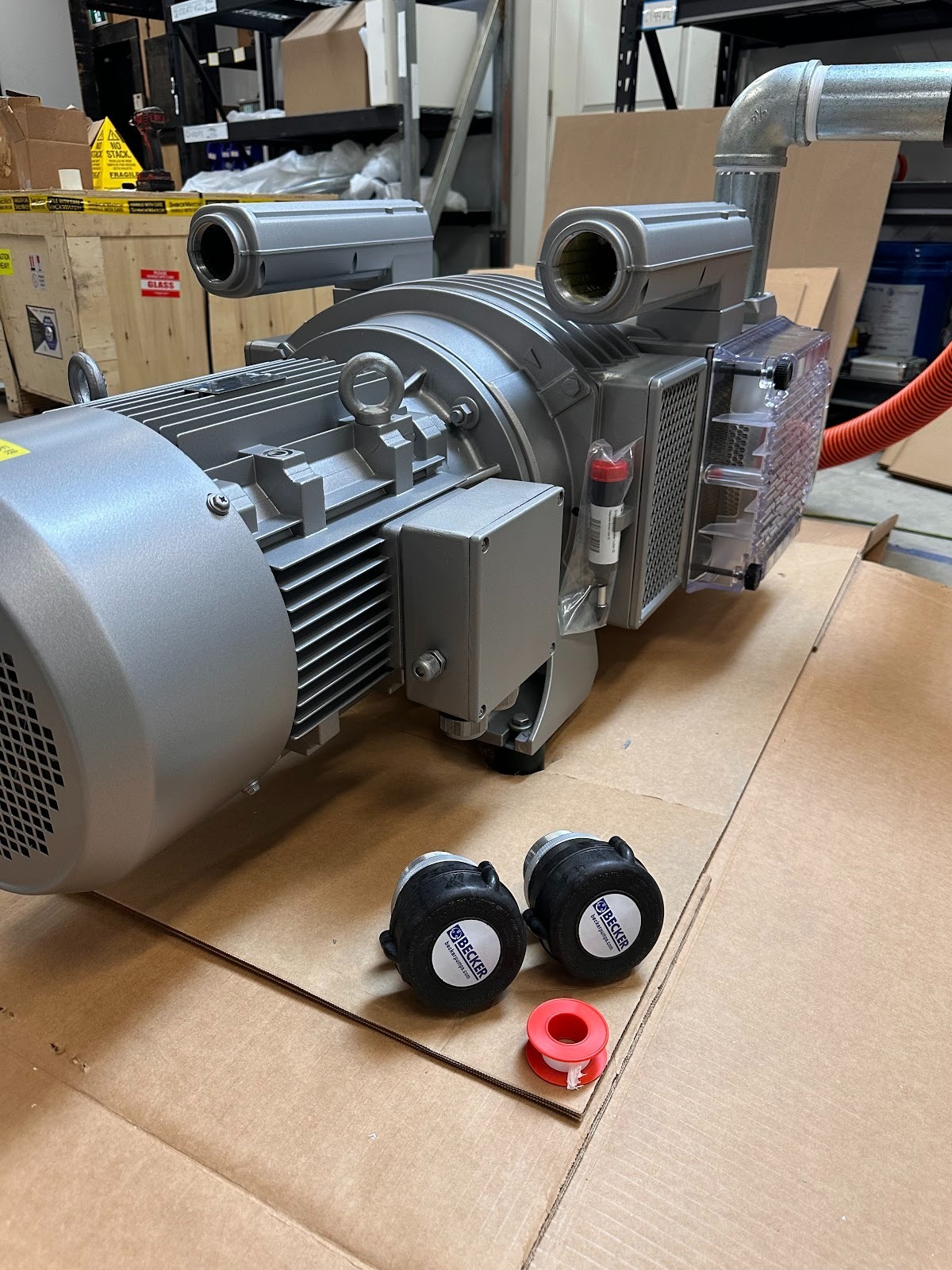
Install the mufflers on the exhaust towers
Apply PTFE tape to the exhaust threads
Thread mufflers on by hand, then snug with a wrench while supporting the tower
Orient vertically so condensate can drain and nothing contacts guards
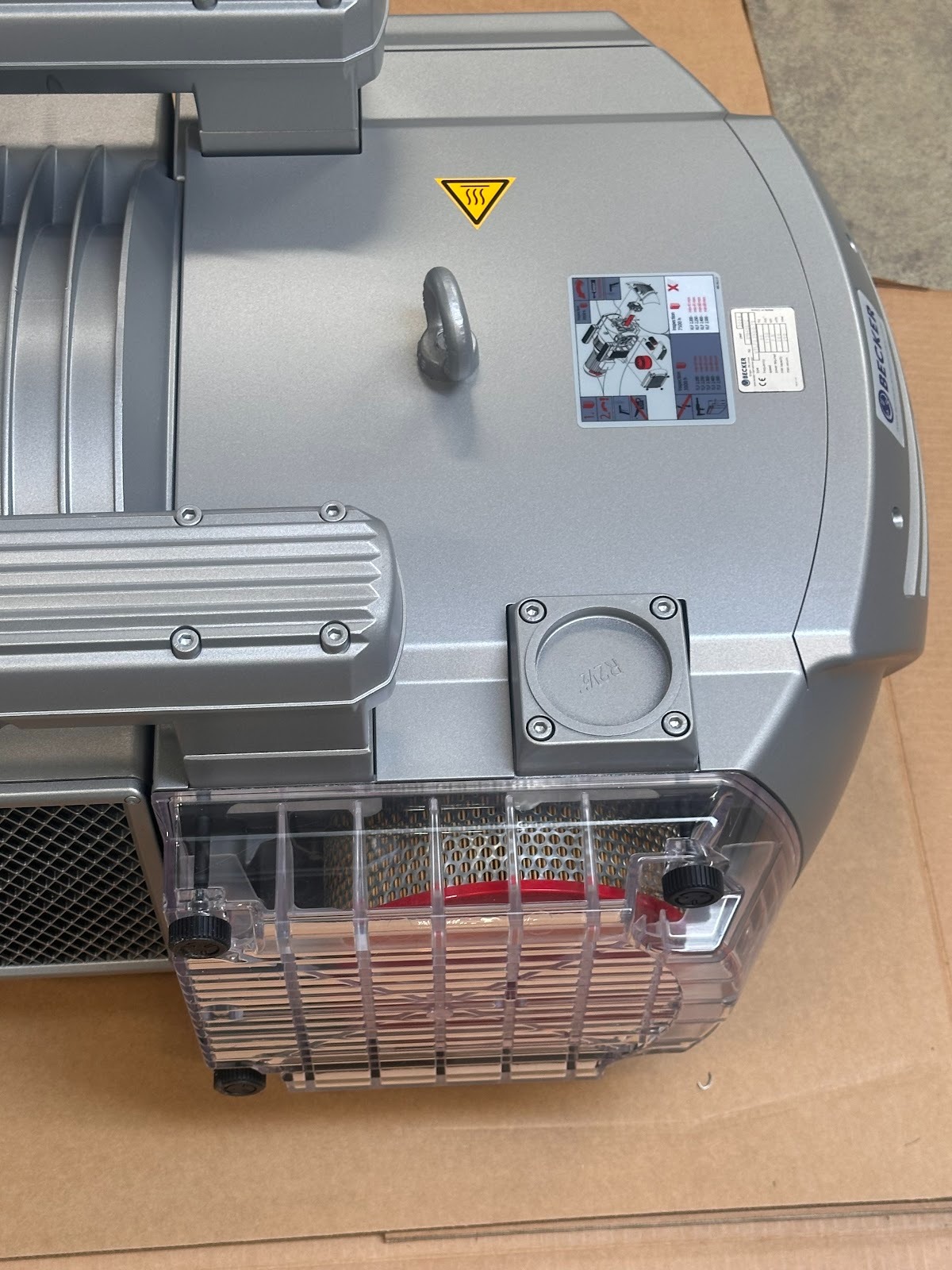
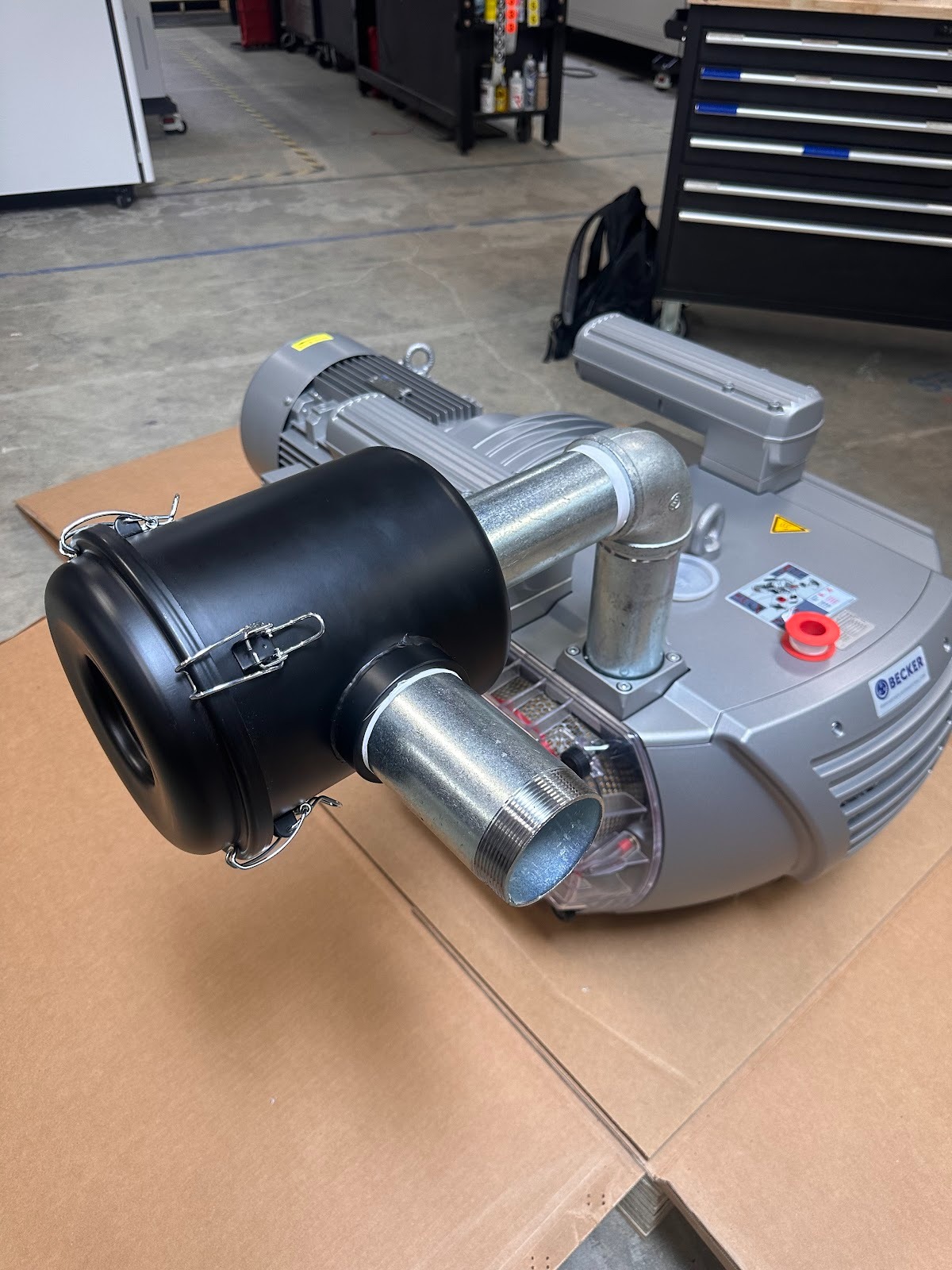
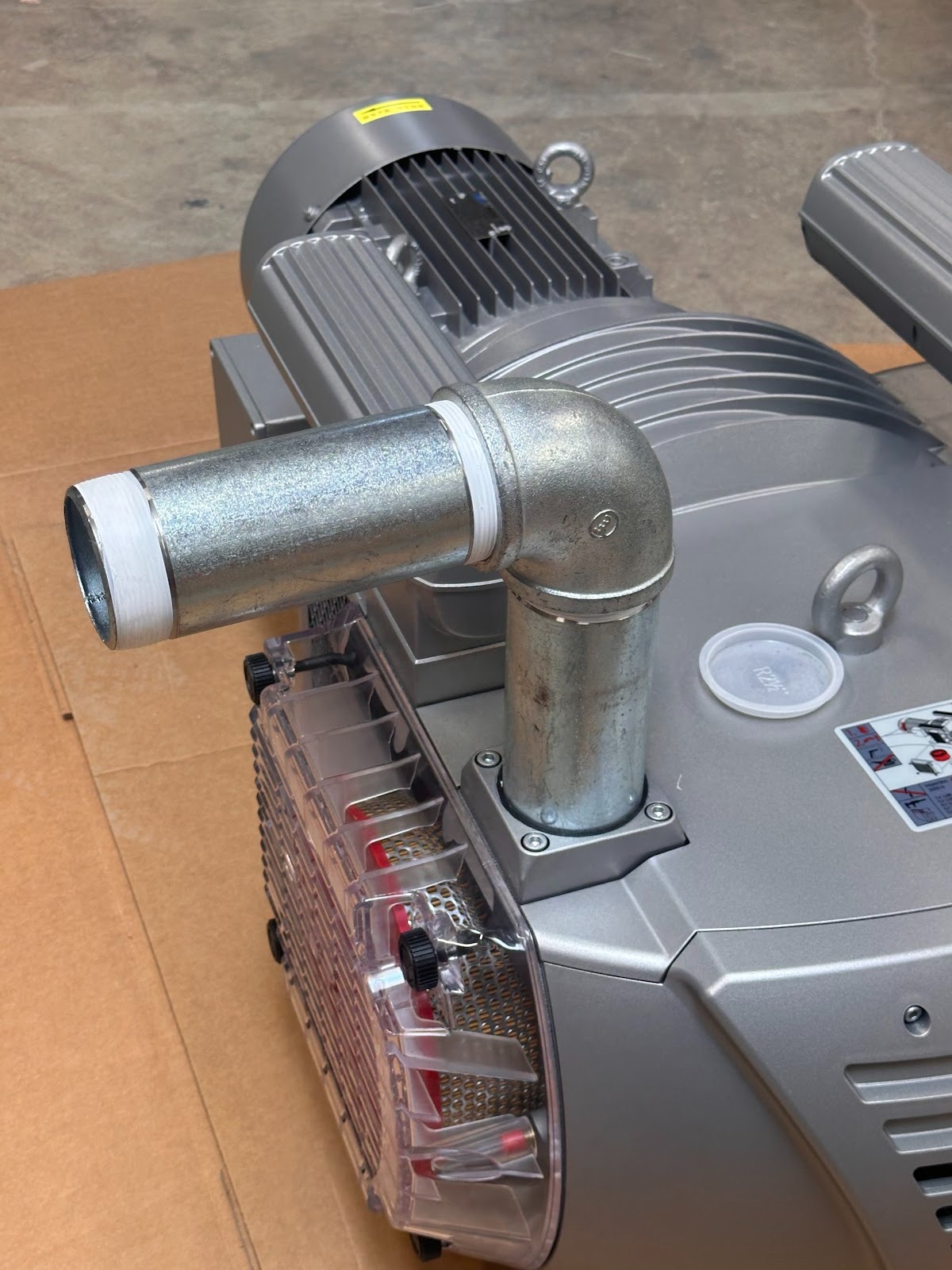
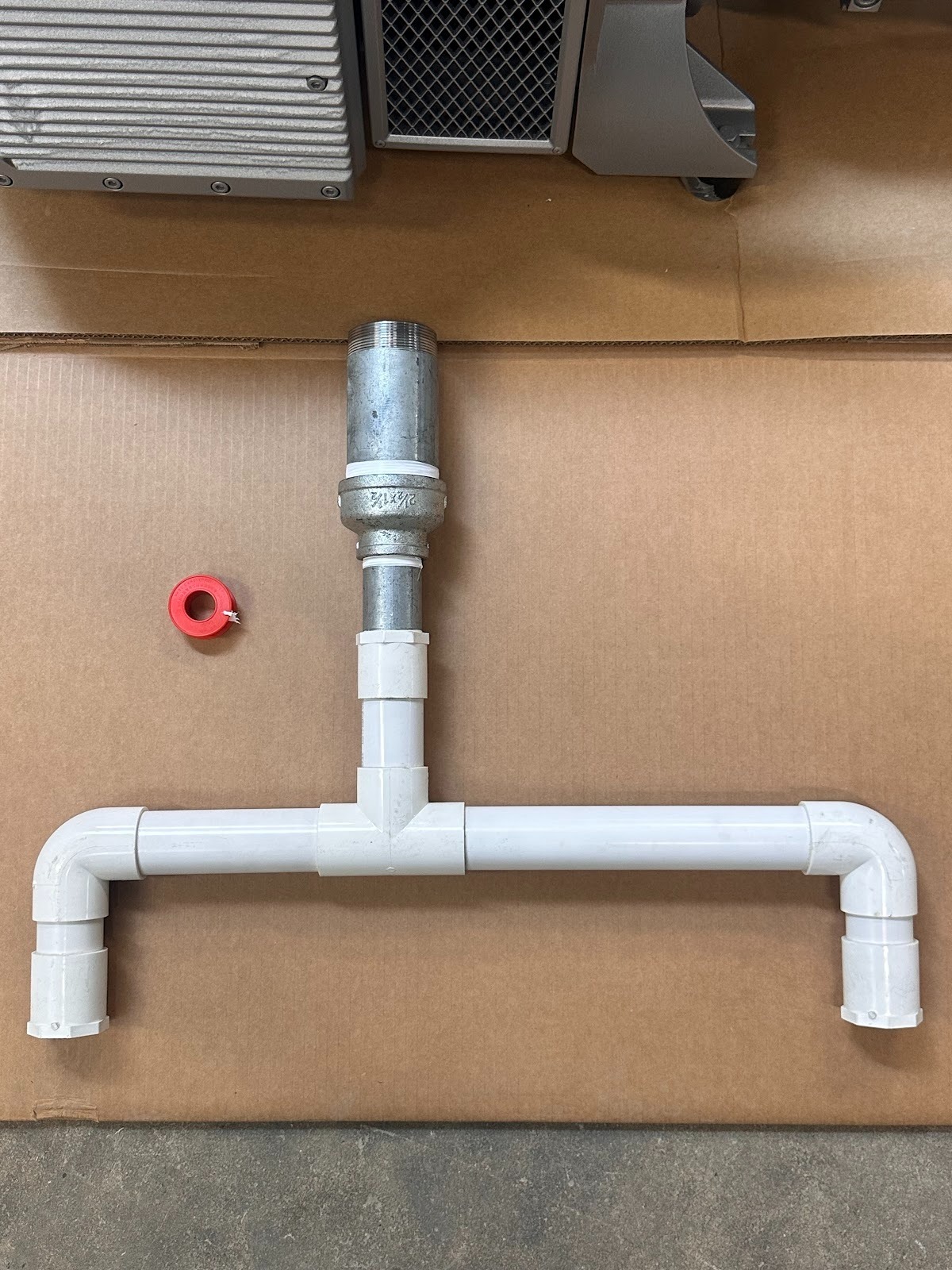
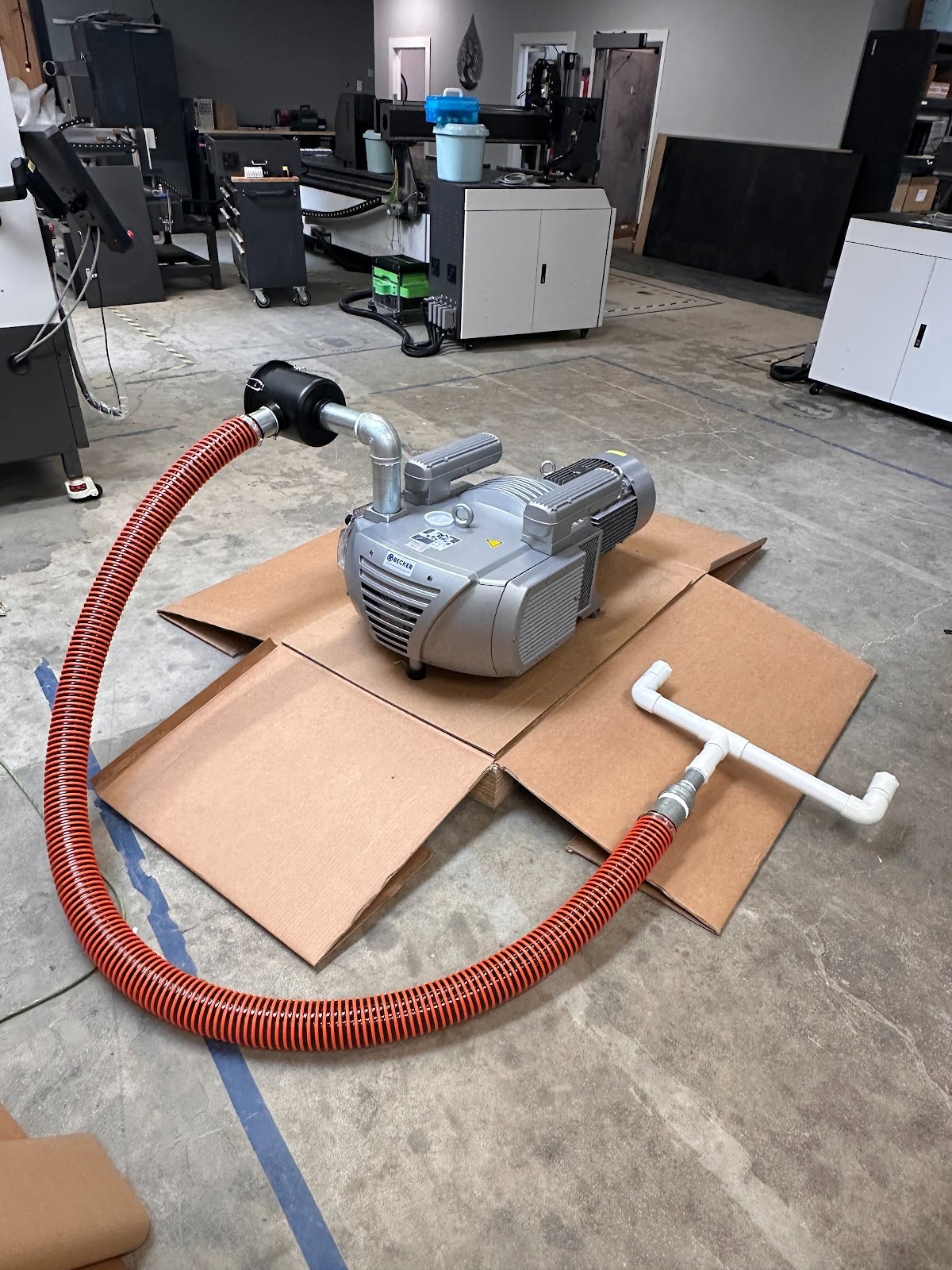
Install the three pipes and 90° bend for the Becker dust filter on the top of the pump
Dry‑fit the three pipes and the 90° bend to confirm alignment and filter location
Apply thread sealant to each joint and assemble hand‑tight, then wrench‑snug
Mount the dust filter so the bowl is horizontal and accessible.
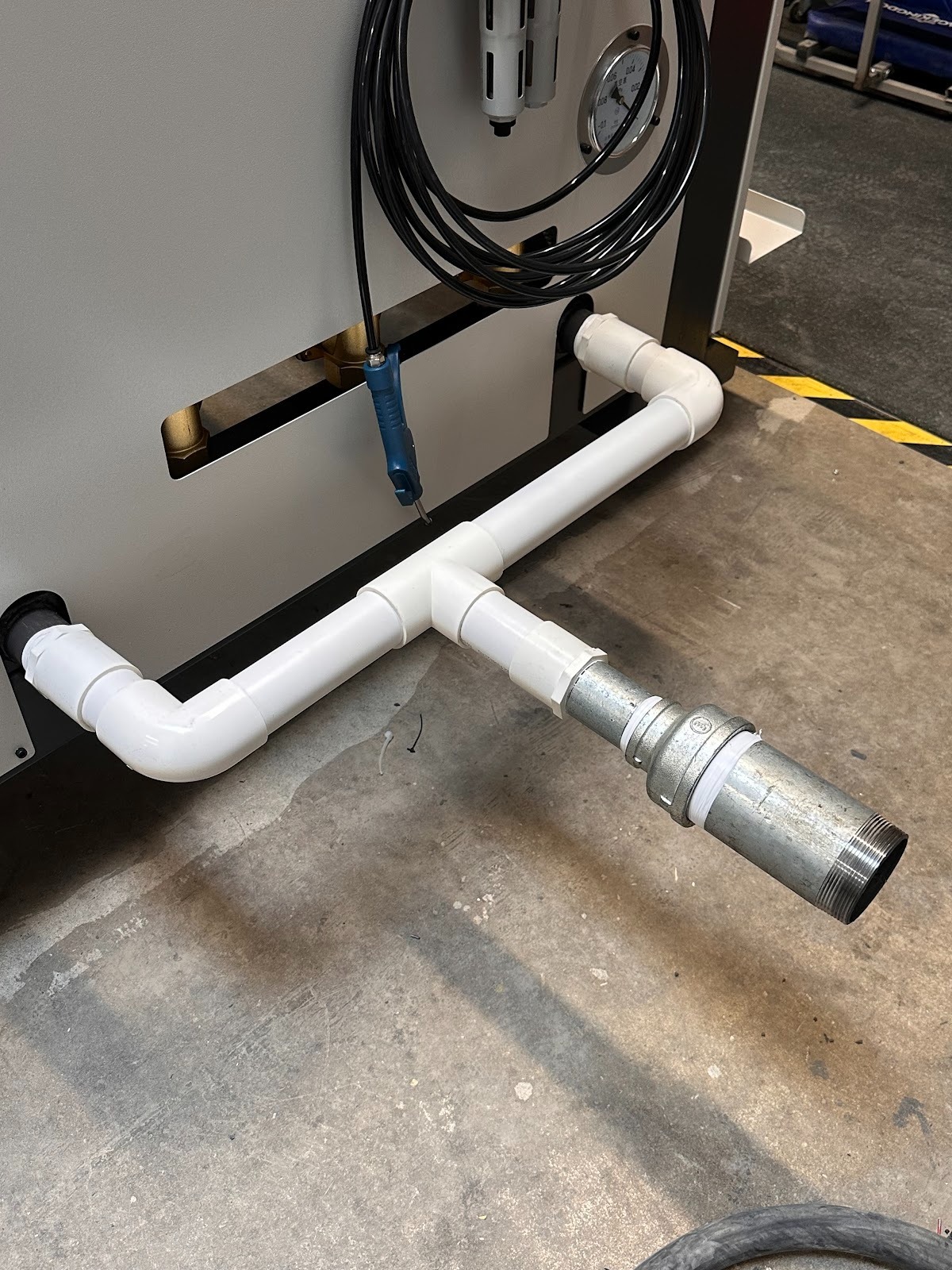
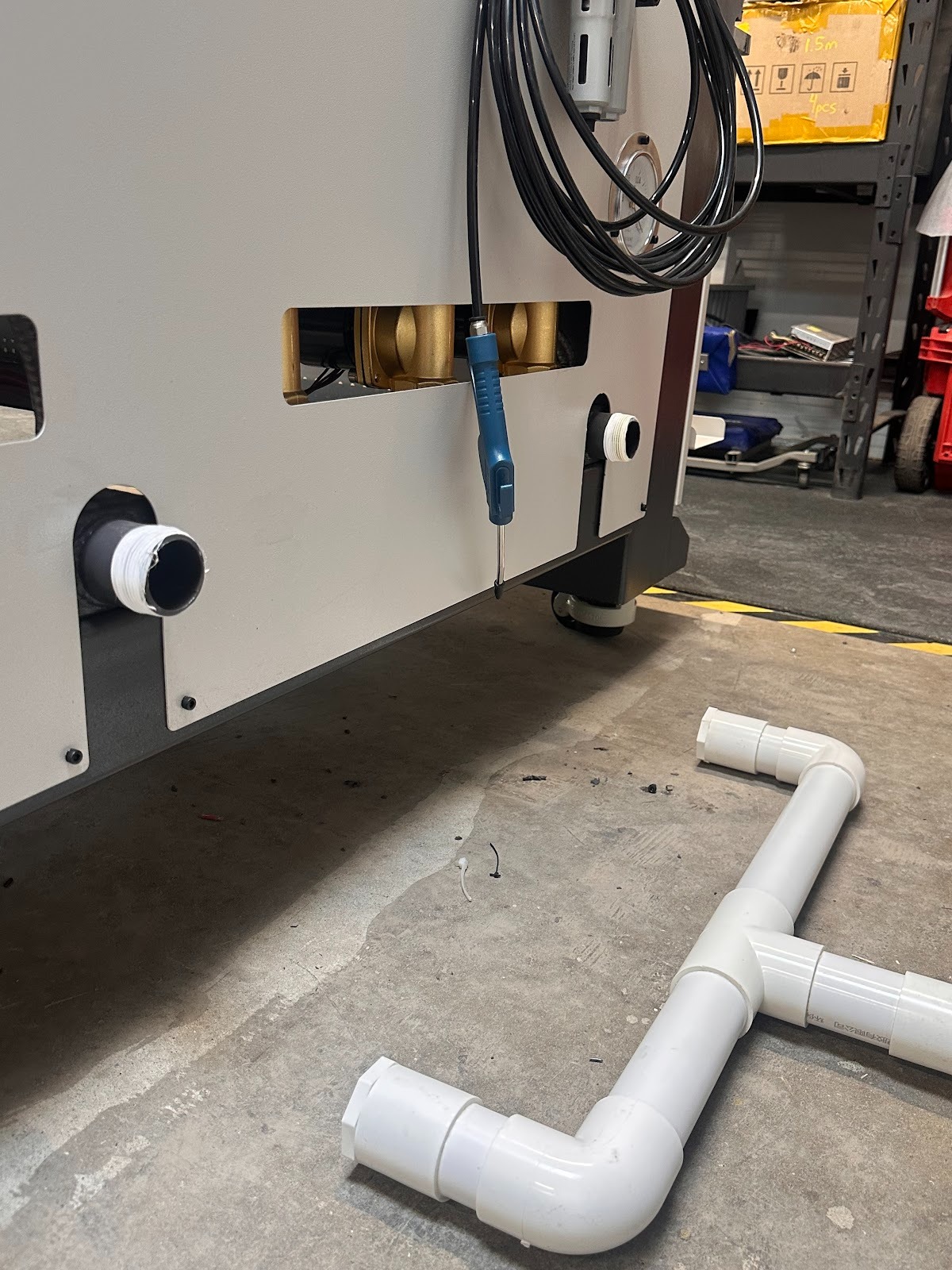
Install the 2.5-inch vacuum hose from the dust filter to the C2-510 ATC CNC router
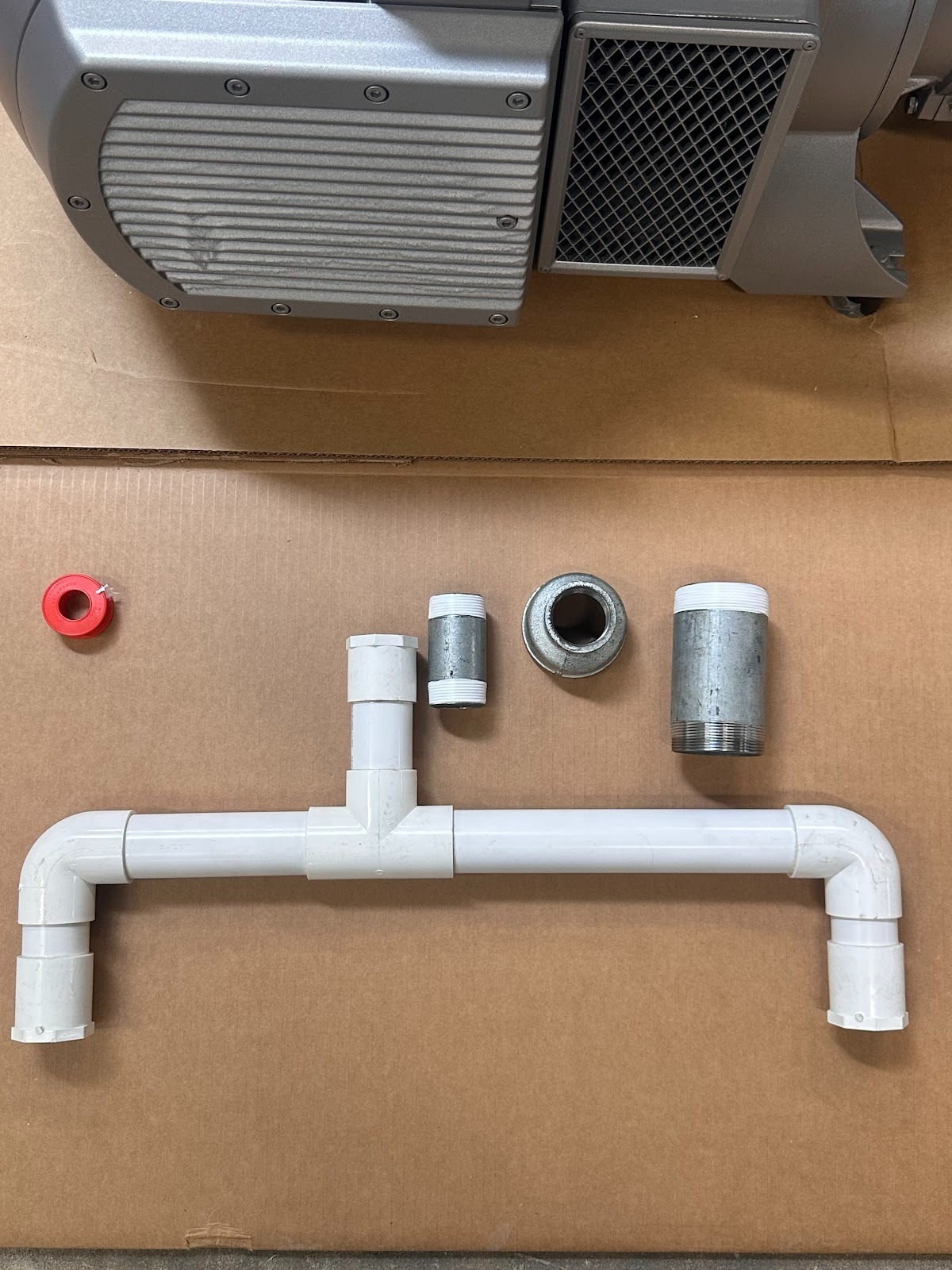
Assemble the vacuum inlet that is provided with the C2-510 ATC CNC router as such
Route the hose from the filter outlet to the router vacuum manifold without kinks
Slide a clamp on each end, push the hose fully onto the fittings, and tighten the clamps
Add supports so the filter is not carrying pipe weight
Vacuum pump service guide
(Service should be completed every 3000 hours of use)
Tools and materials
5 mm hex key or bit
13 mm socket and torque wrench
Clean rags
Air compressor
Callipers or micrometer
PPE (gloves, safety glasses)
Grease injector insert (provided with pump)
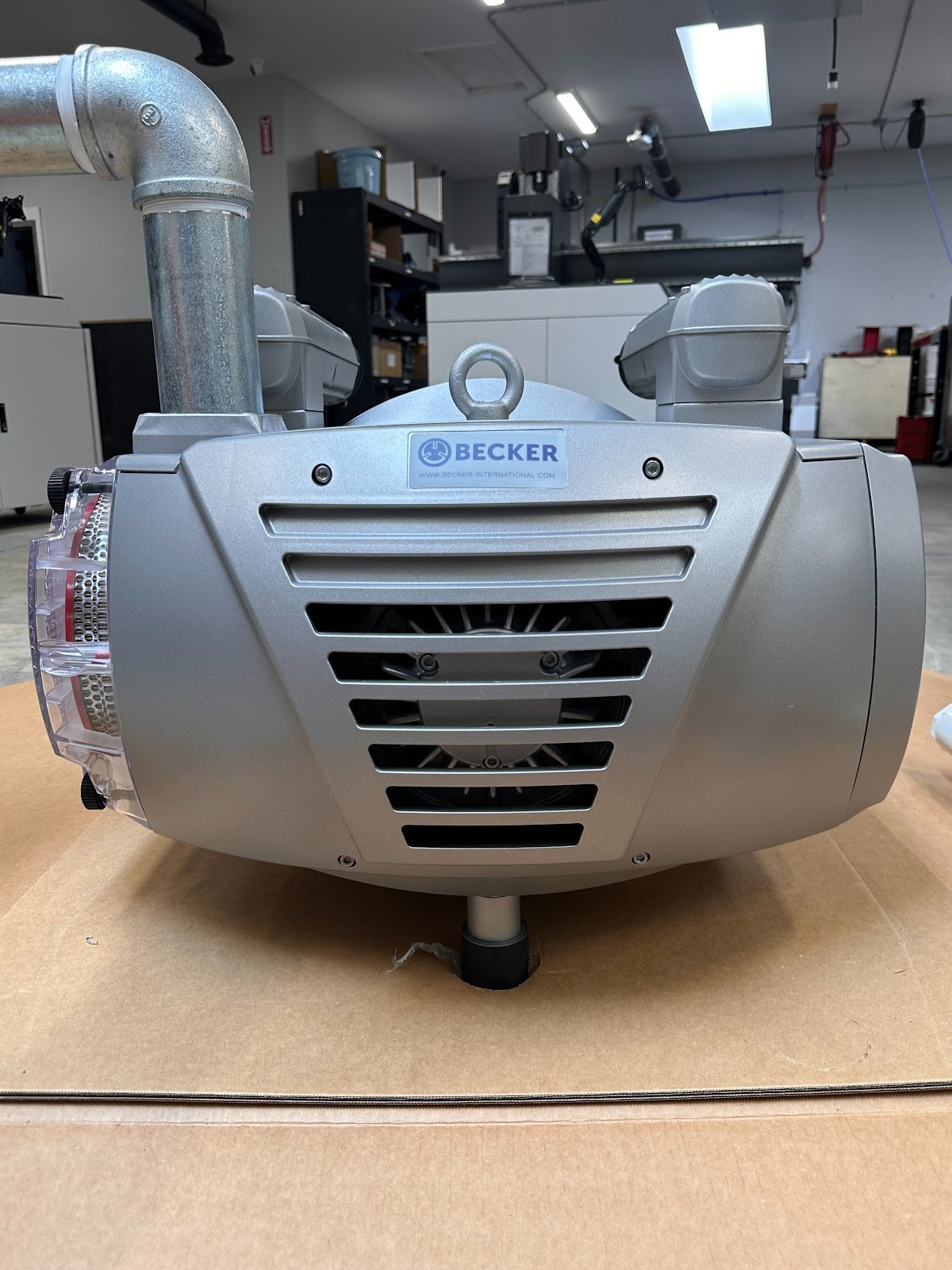
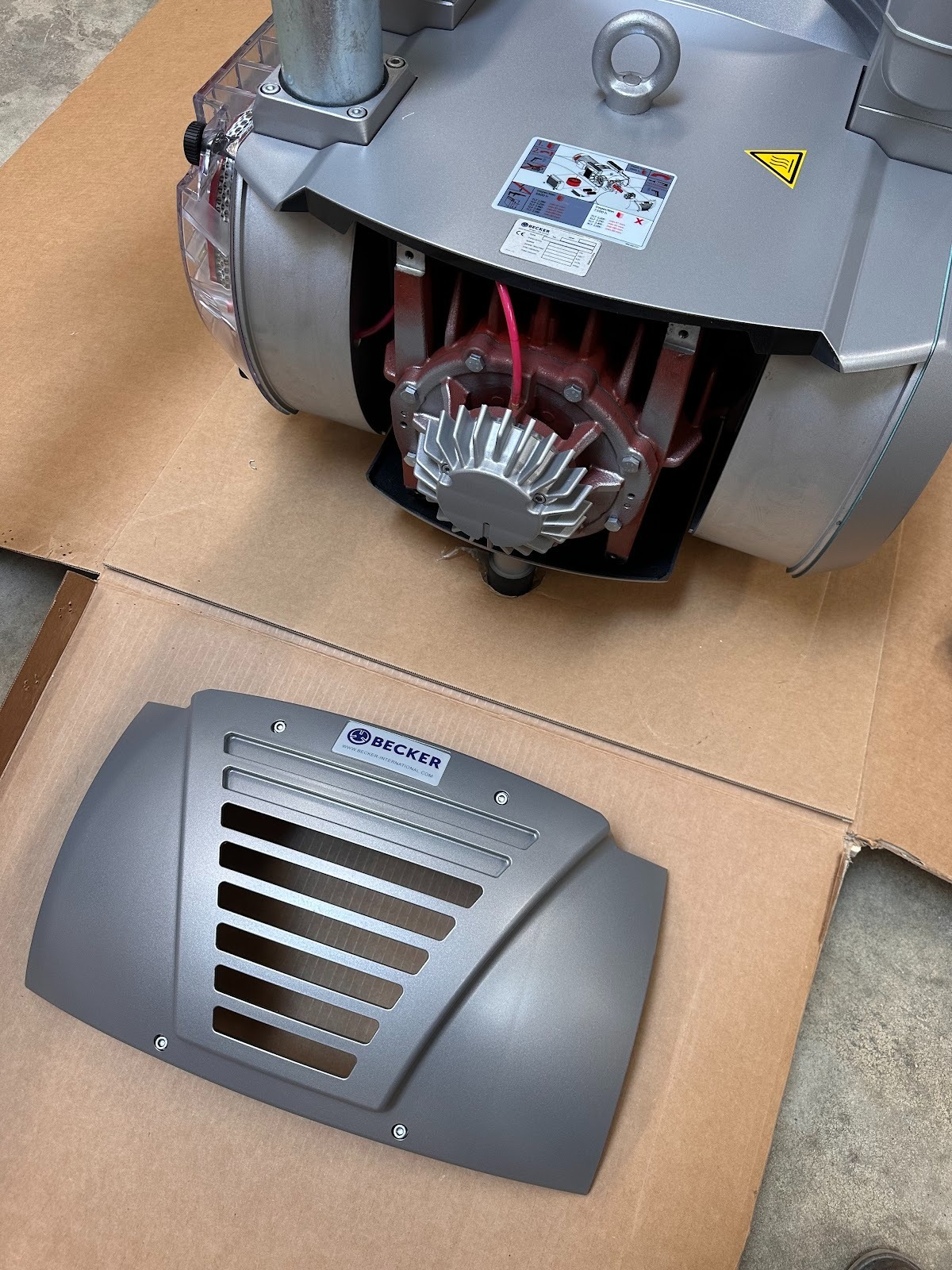
Remove the rear panel
Disconnect and lock out power
Remove four 5 mm hex bolts from the back plate
Set the panel aside
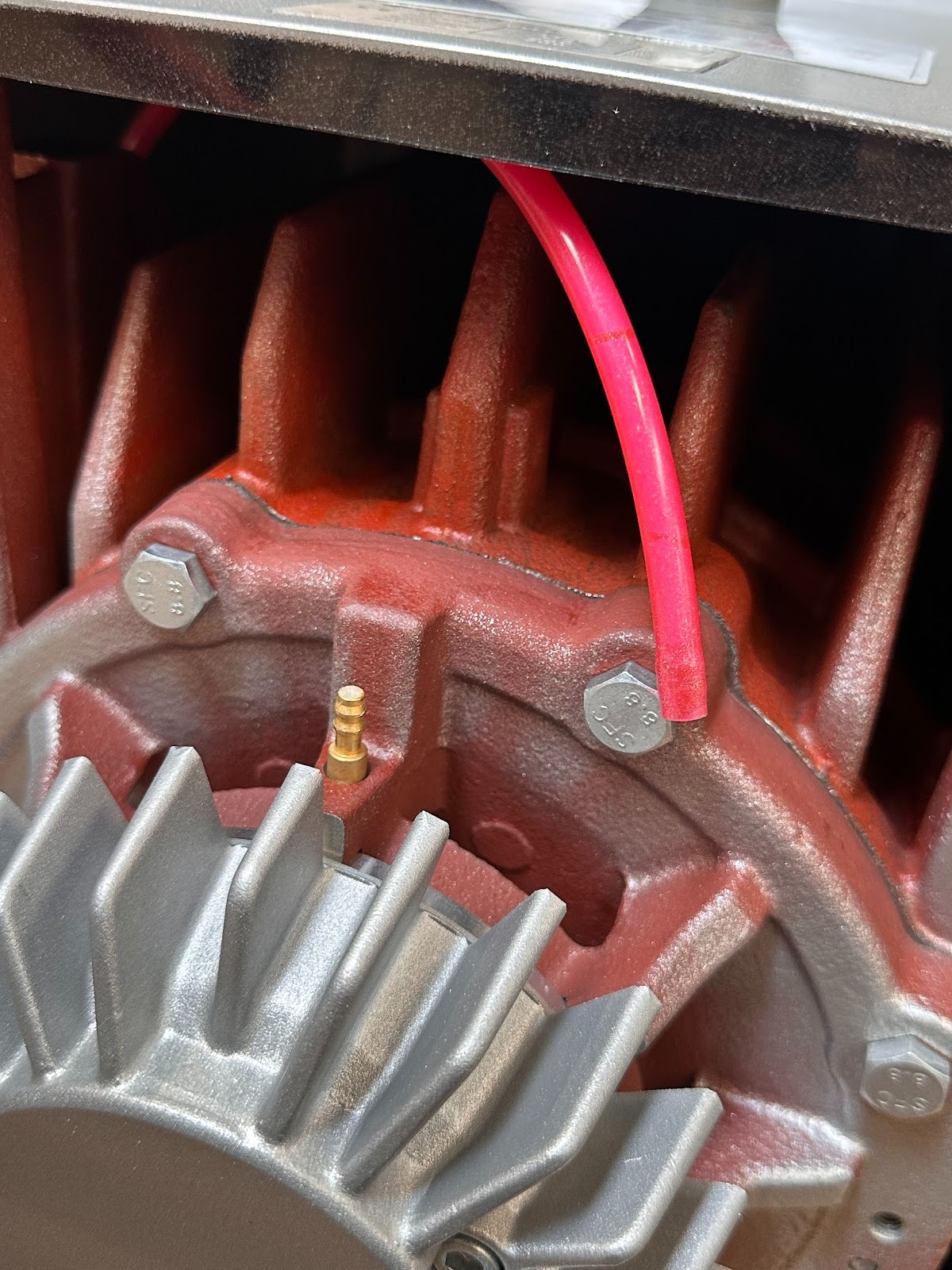
Disconnect the pink grease line
Remove the vacuum housing face plate
Use 13M socket to remove the bolts securing the face plate
Keep bolts for reinstallation
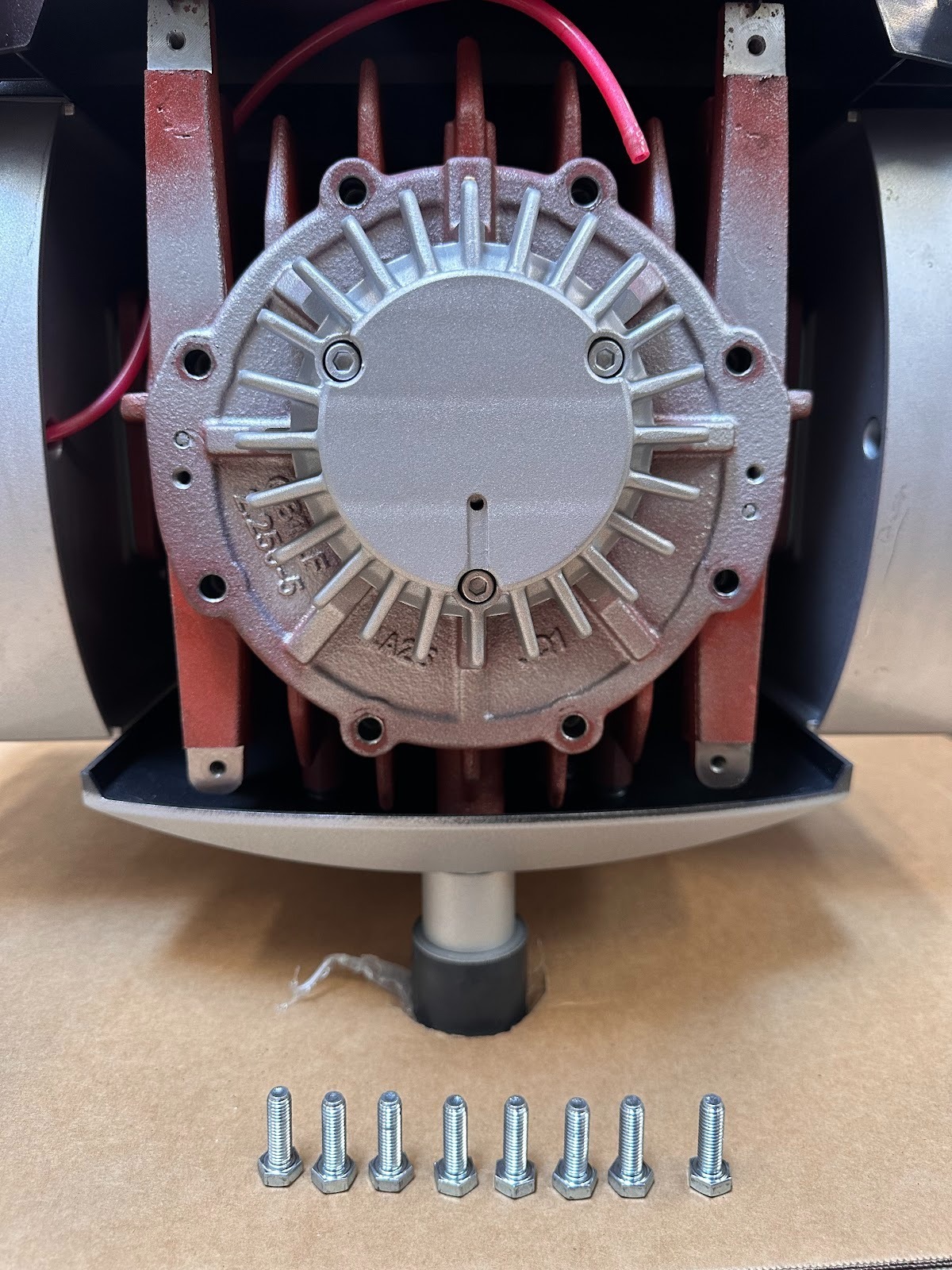
Separate the face plate from the housing
Thread two 5 mm hex bolts into the push bolt holes on the face plate
Evenly tighten to push the plate away from the housing
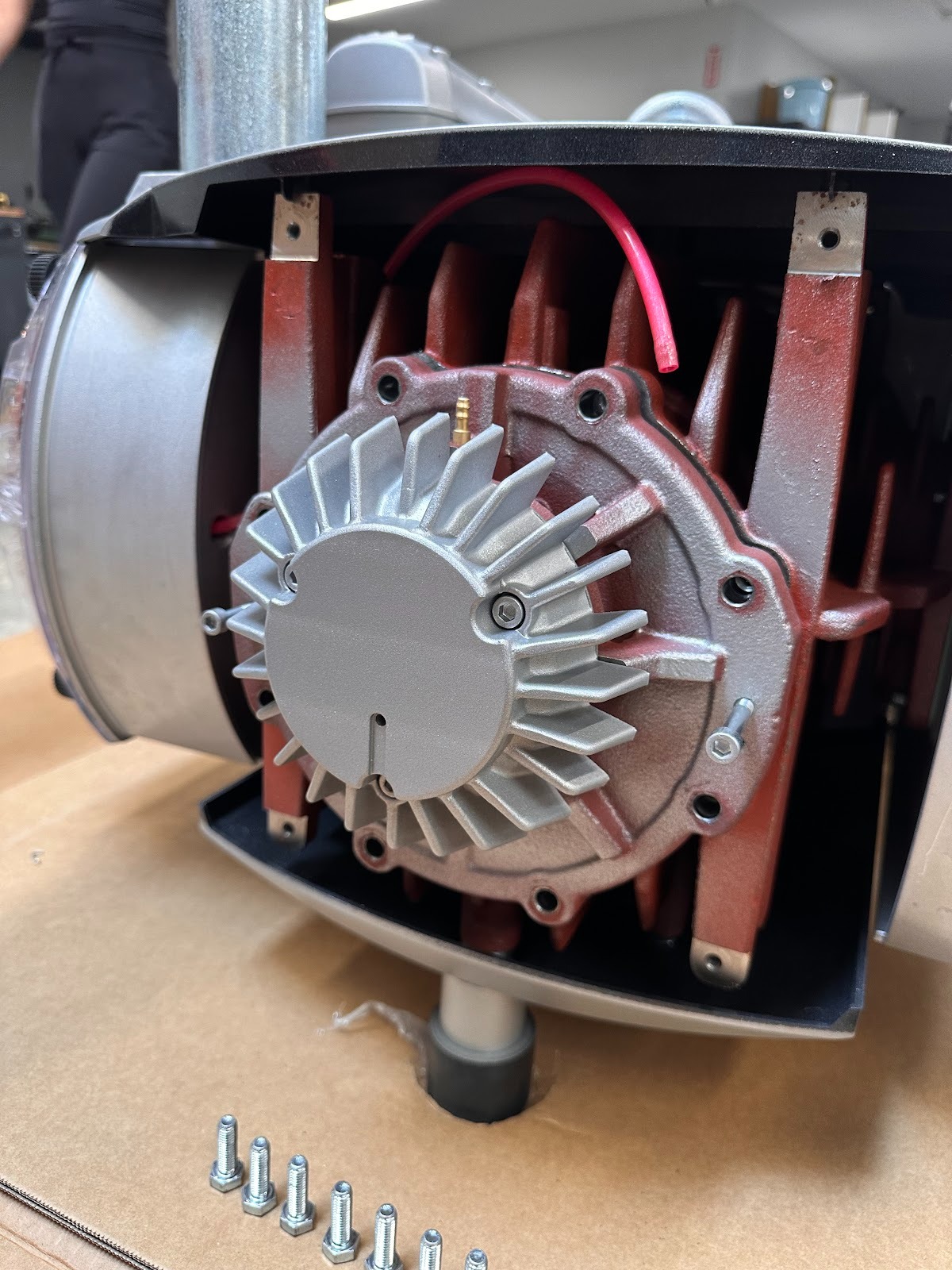
Remove compressor fins
Carefully slide out the five fins from the rotor slots
Keep track of their orientation
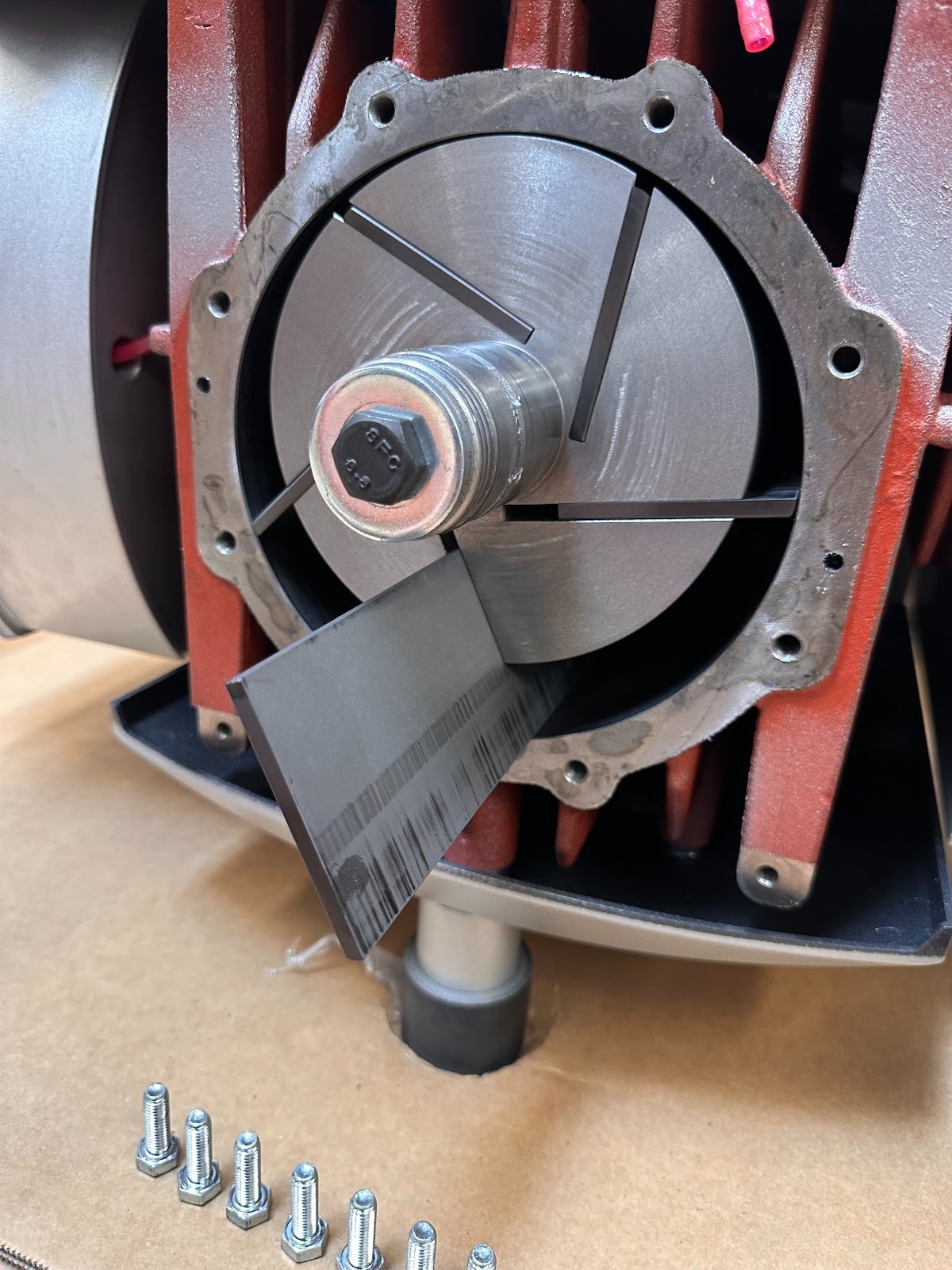
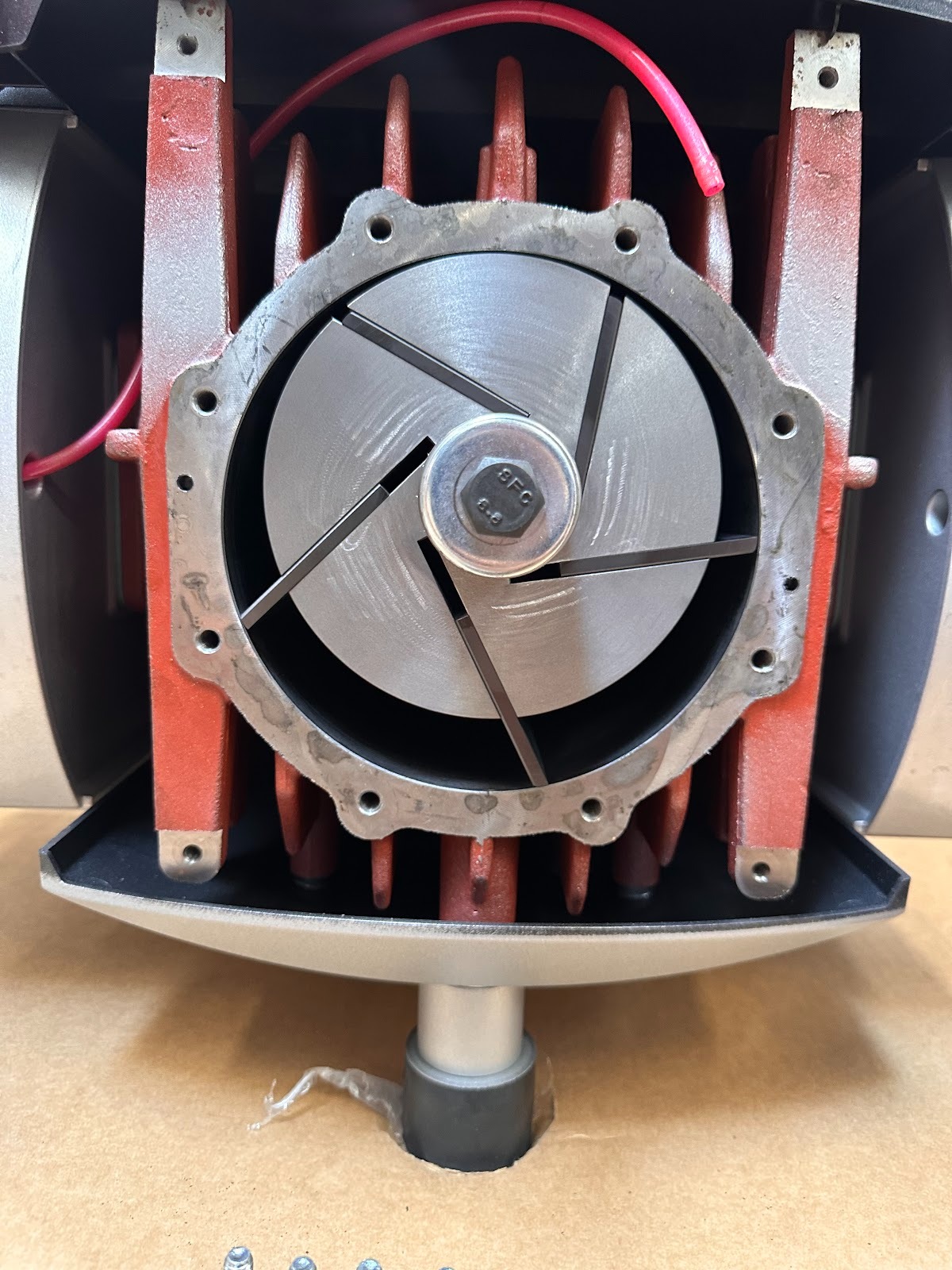
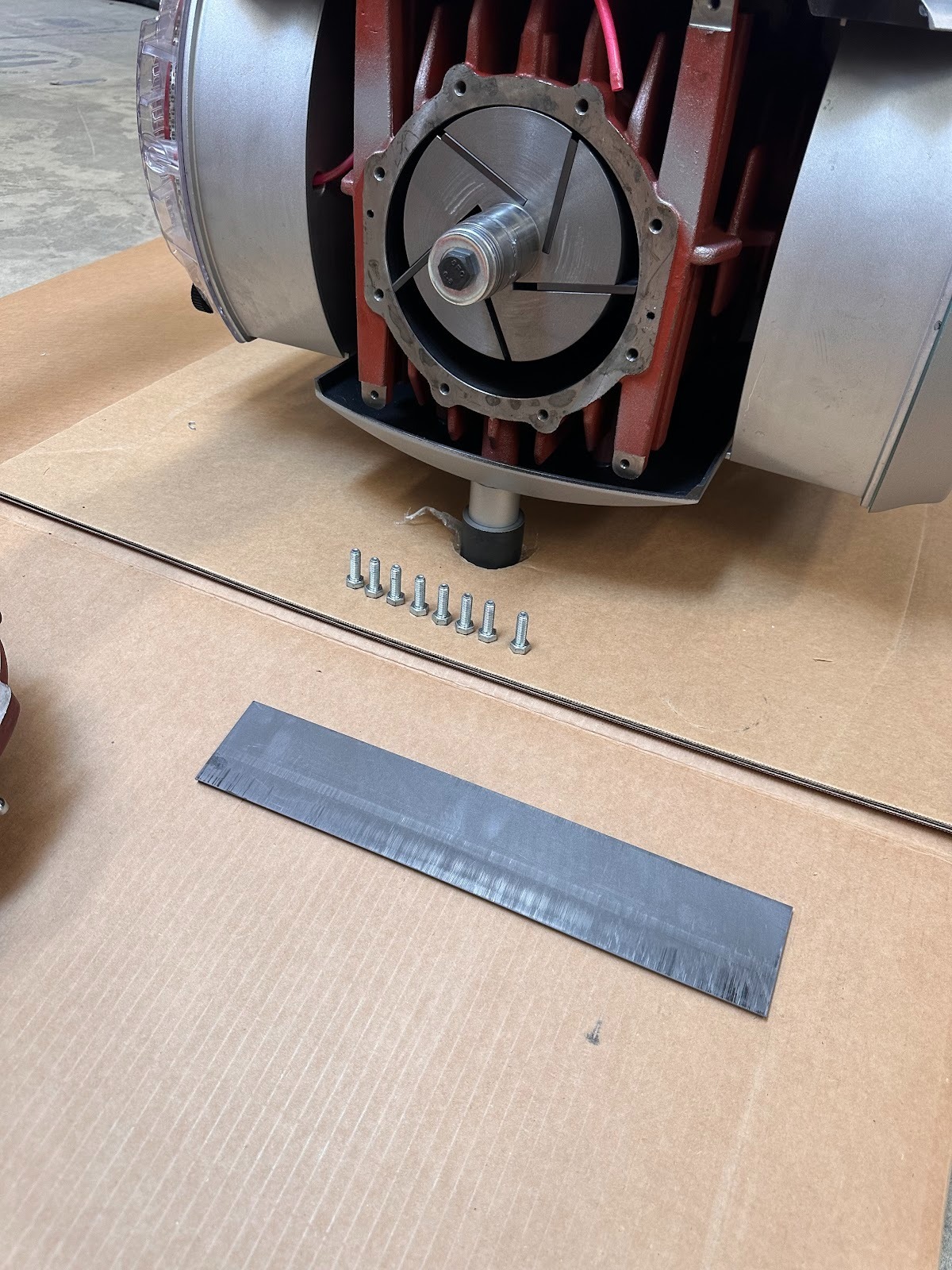
Measure fins
Use callipers to measure the width of each fin
Minimum width is 41 mm
Replace any fins at or below the minimum or showing damage
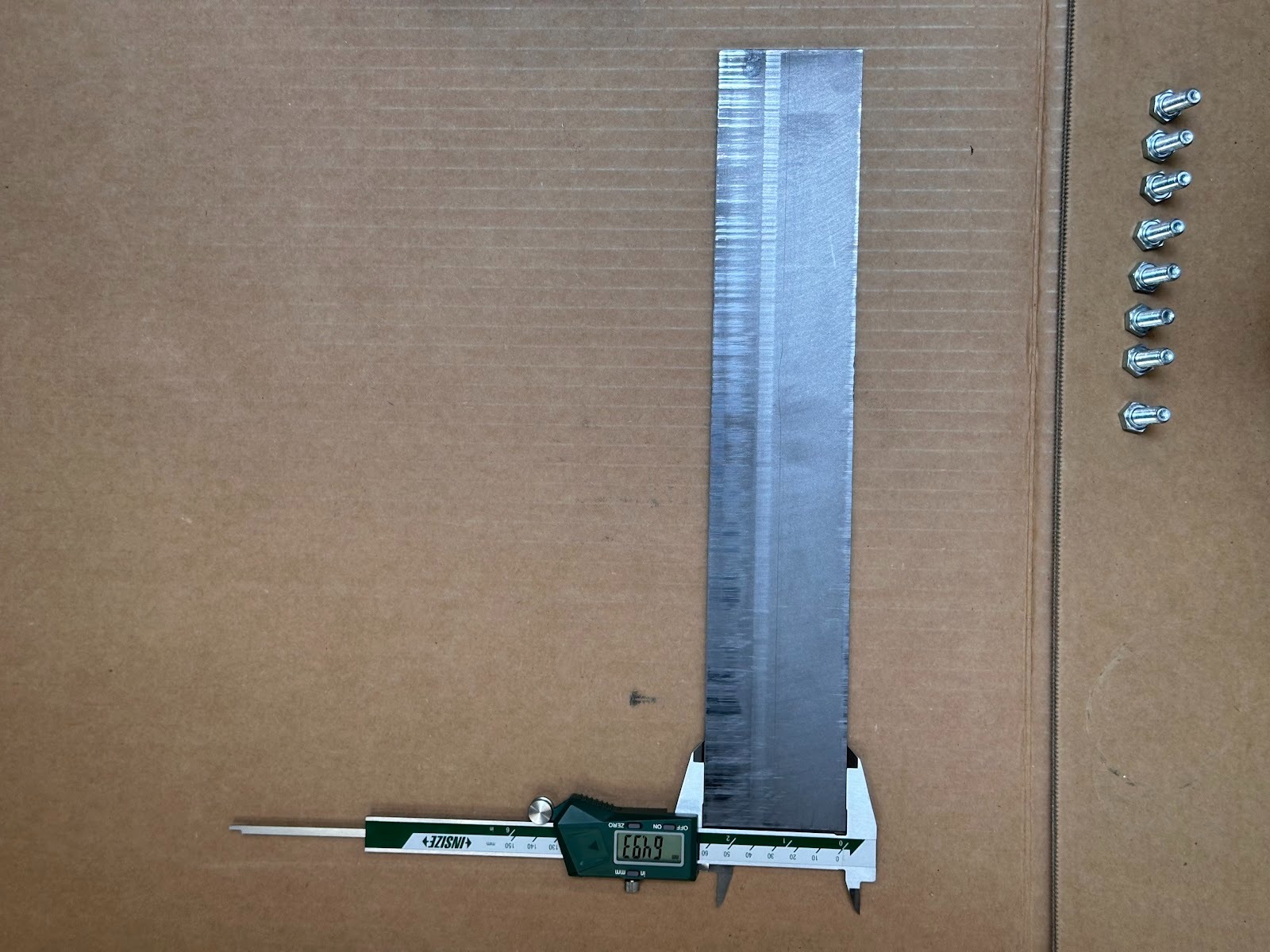
Clean housing interior
Wipe the inside of the housing with a clean rag
Use compressed air to blow out dust and debris
Ensure surfaces are smooth and free of residue
Reinstall fins
Insert fins in the same orientation they were removed
Ensure they move freely in the slots
(Correct - edge flush with surface)
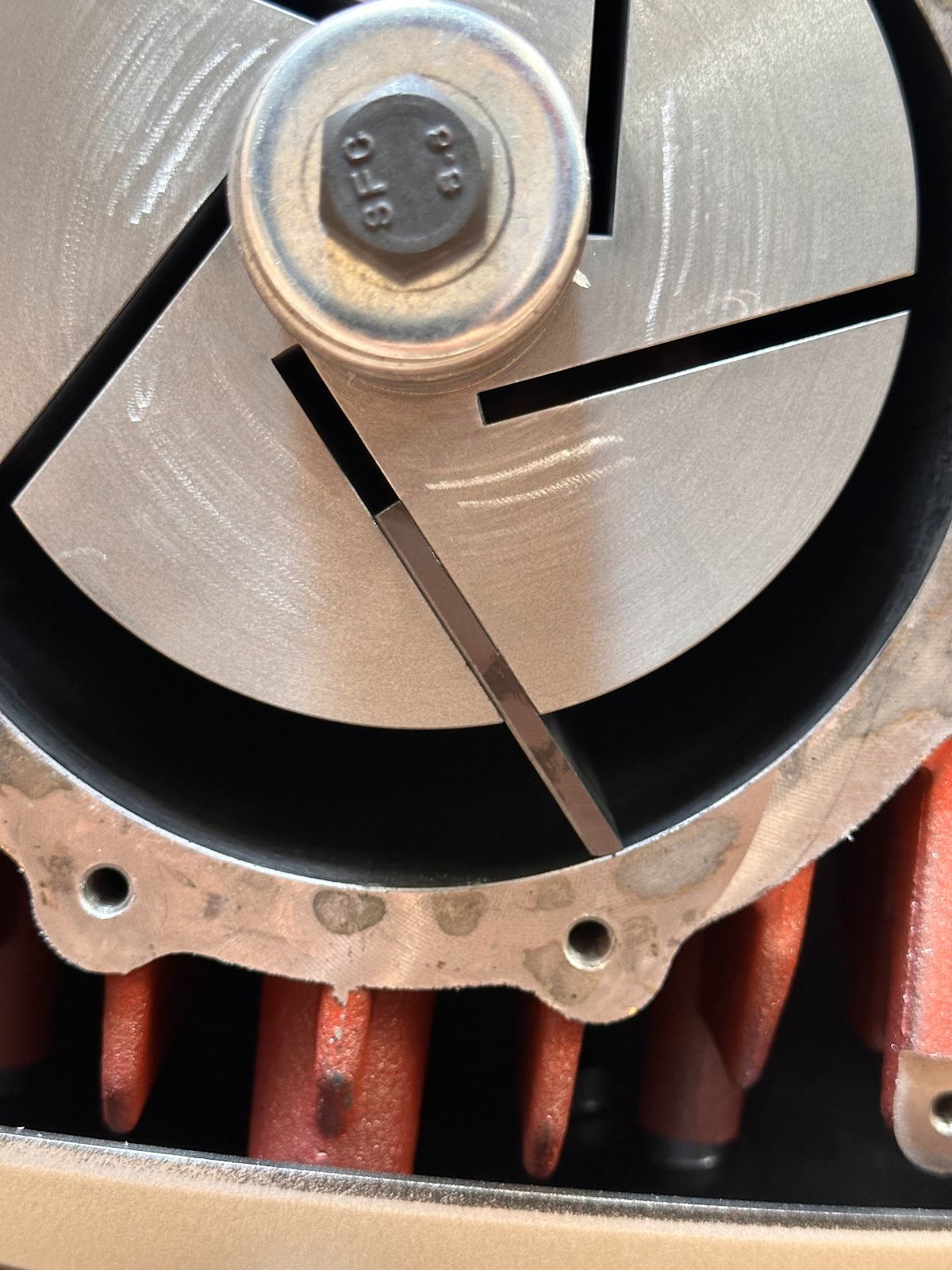
(Incorrect - not flush with surface)
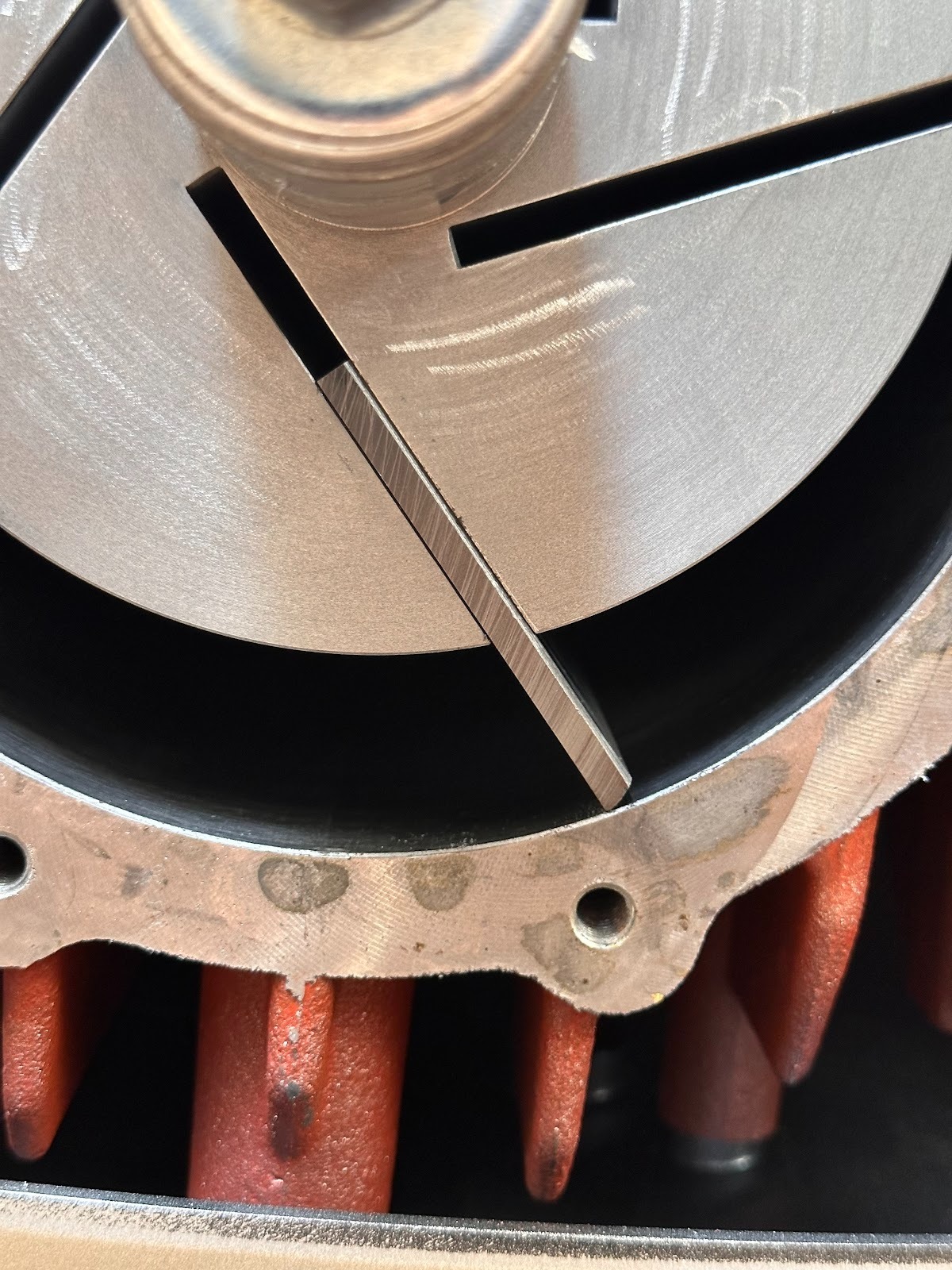
Reinstall face plate
Position plate on housing and align bolt holes
Install 13 mm bolts and torque evenly in a star pattern to 50 Nm
Reinstall rear panel
Secure with four 5 mm hex bolts
Check all fasteners for tightness
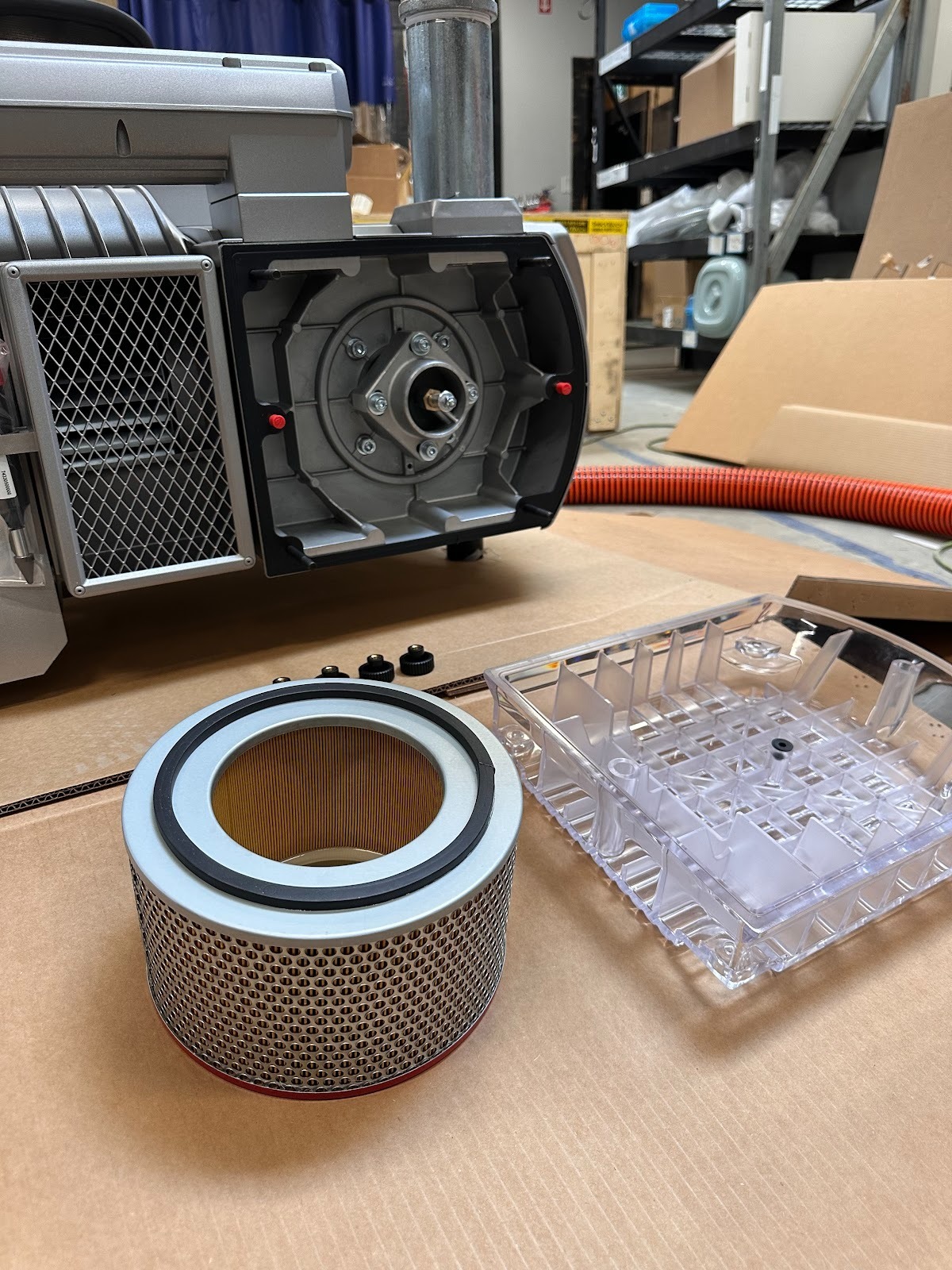
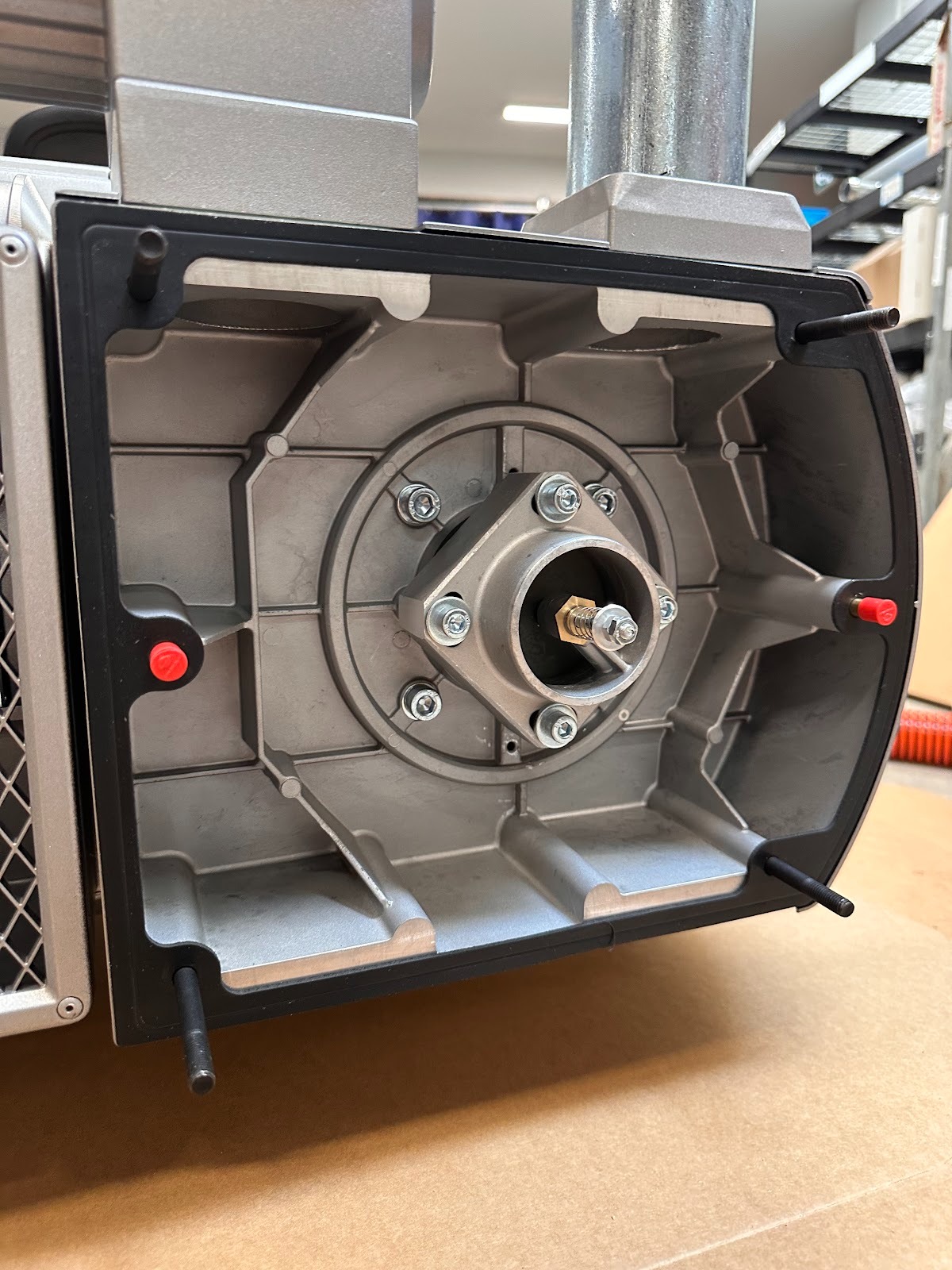
Service intake filter and grease fittings
Remove clear filter cover by loosening four plastic hand screws
Take out the filter and check for damage
If needed, spray with compressed air to clean
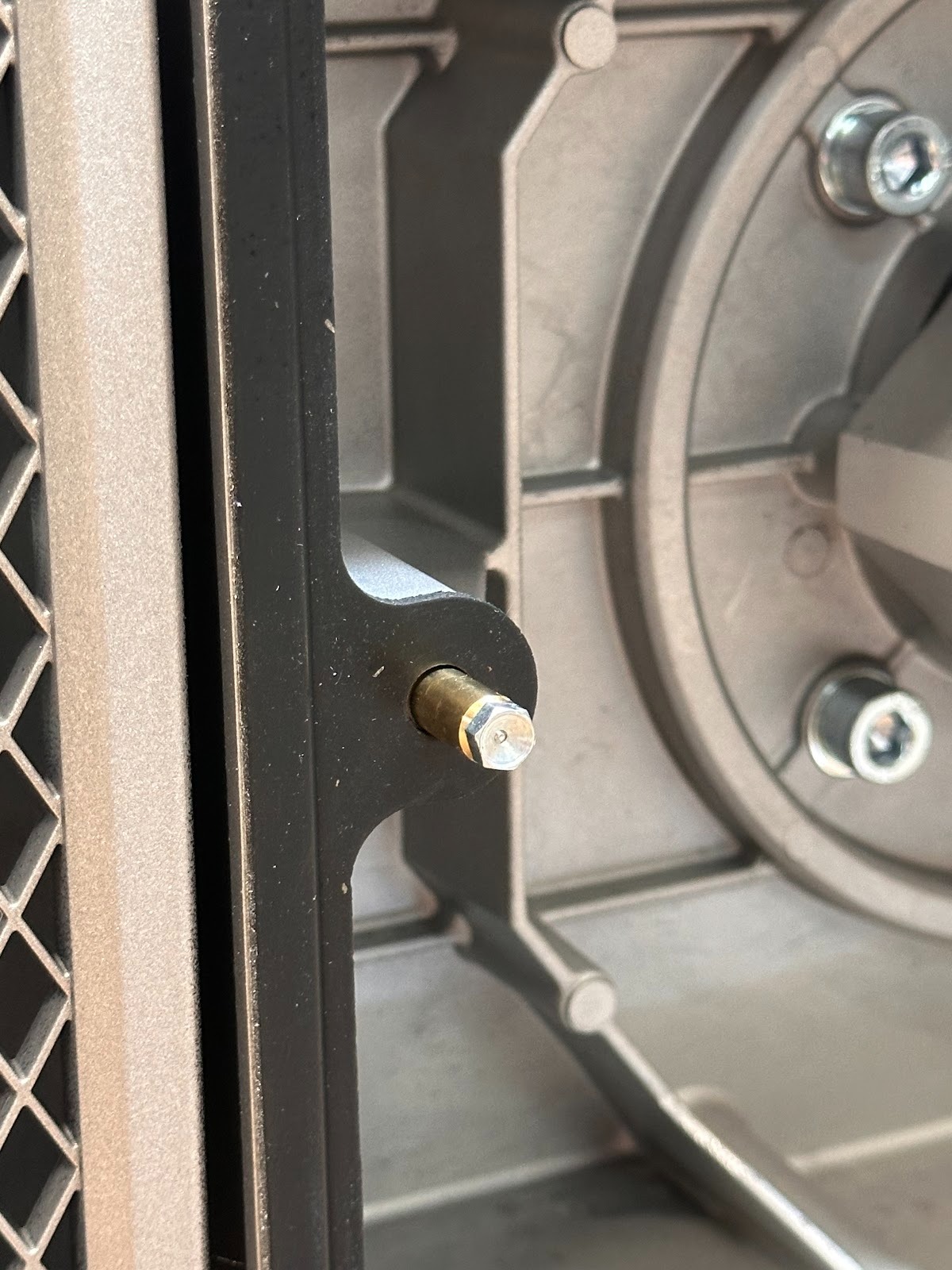
Insert grease injector into each grease nut inside filter housing area
Pump 25 strokes into each of the two grease fittings
Reinstall filter and clear cover; tighten plastic hand screws
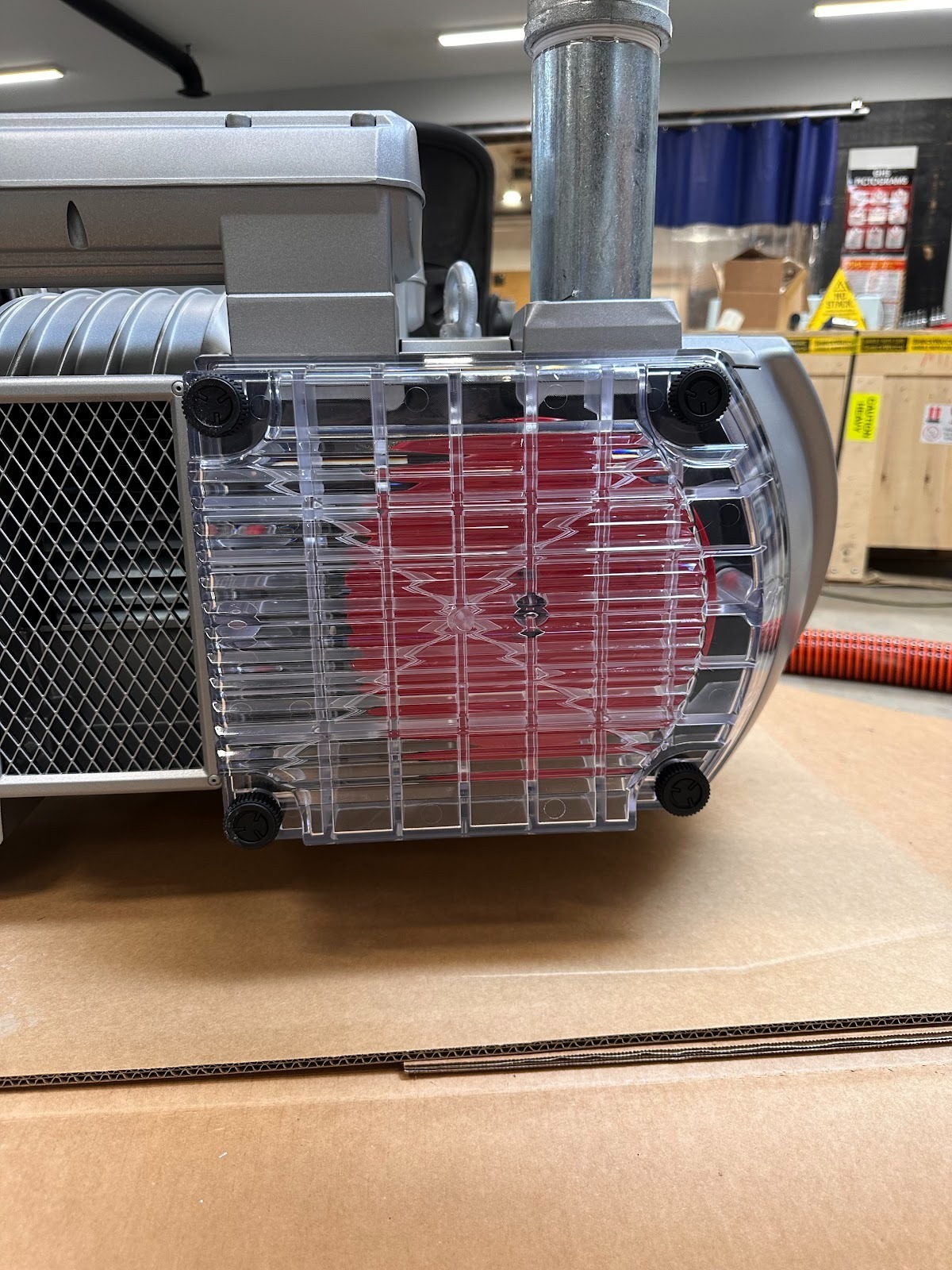
Was this article helpful?
That’s Great!
Thank you for your feedback
Sorry! We couldn't be helpful
Thank you for your feedback
Feedback sent
We appreciate your effort and will try to fix the article